What We Learned Running AWS Spot Instances in Production

Most people think of AWS Spot Instances as cheap VMs that can disappear at any time. That’s true — but if Spot is a core part of your production infrastructure, there are a few less obvious details that matter just as much.
At SadServers we use AWS Spot instances extensively. Here are some of the lessons learned about them.
Spot prices vary more than you think
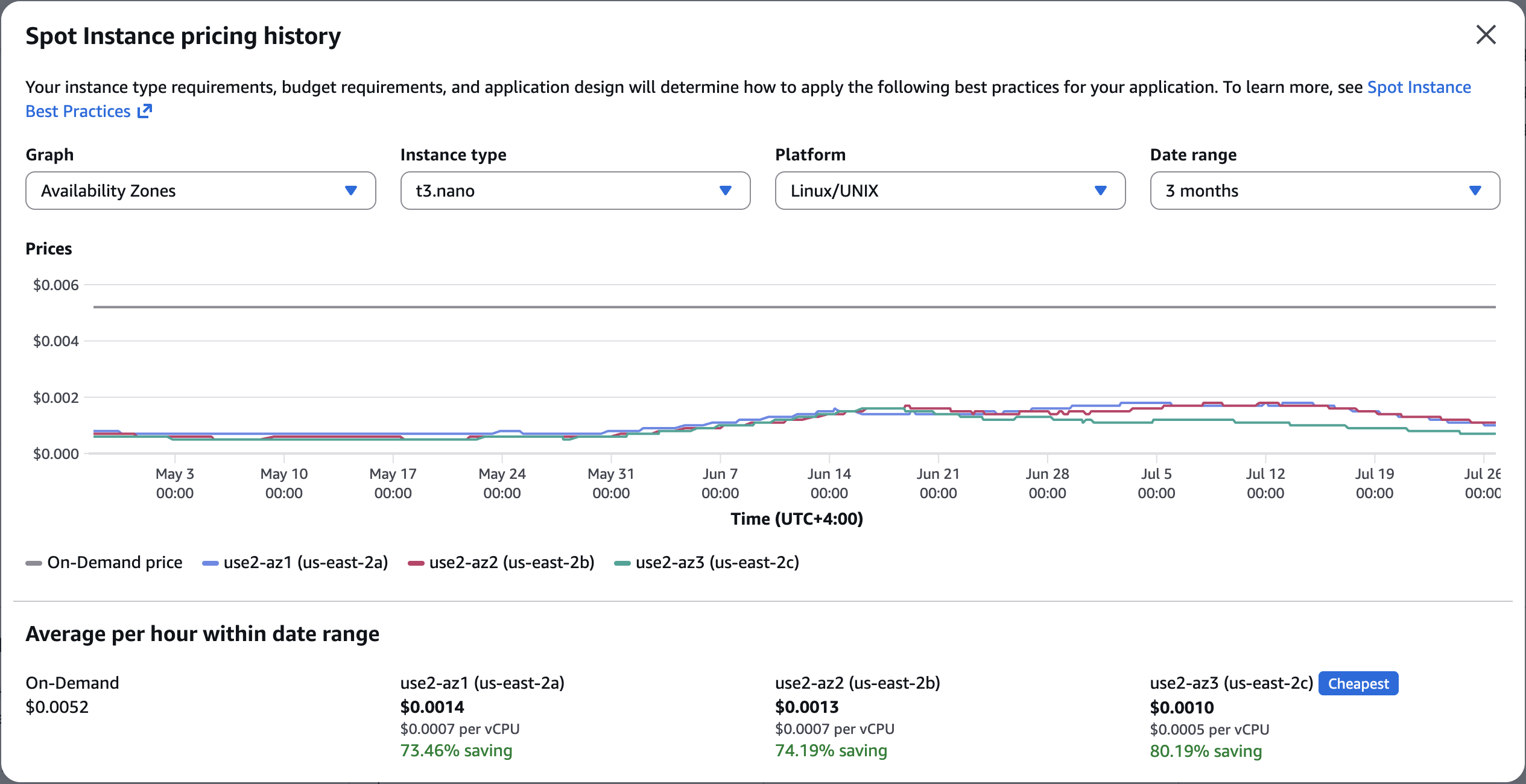
Spot prices differ by Availability Zone within the same region, and the differences can be surprisingly large. We’ve seen a t3a.nano cost less than half as much in one AZ compared to the others.
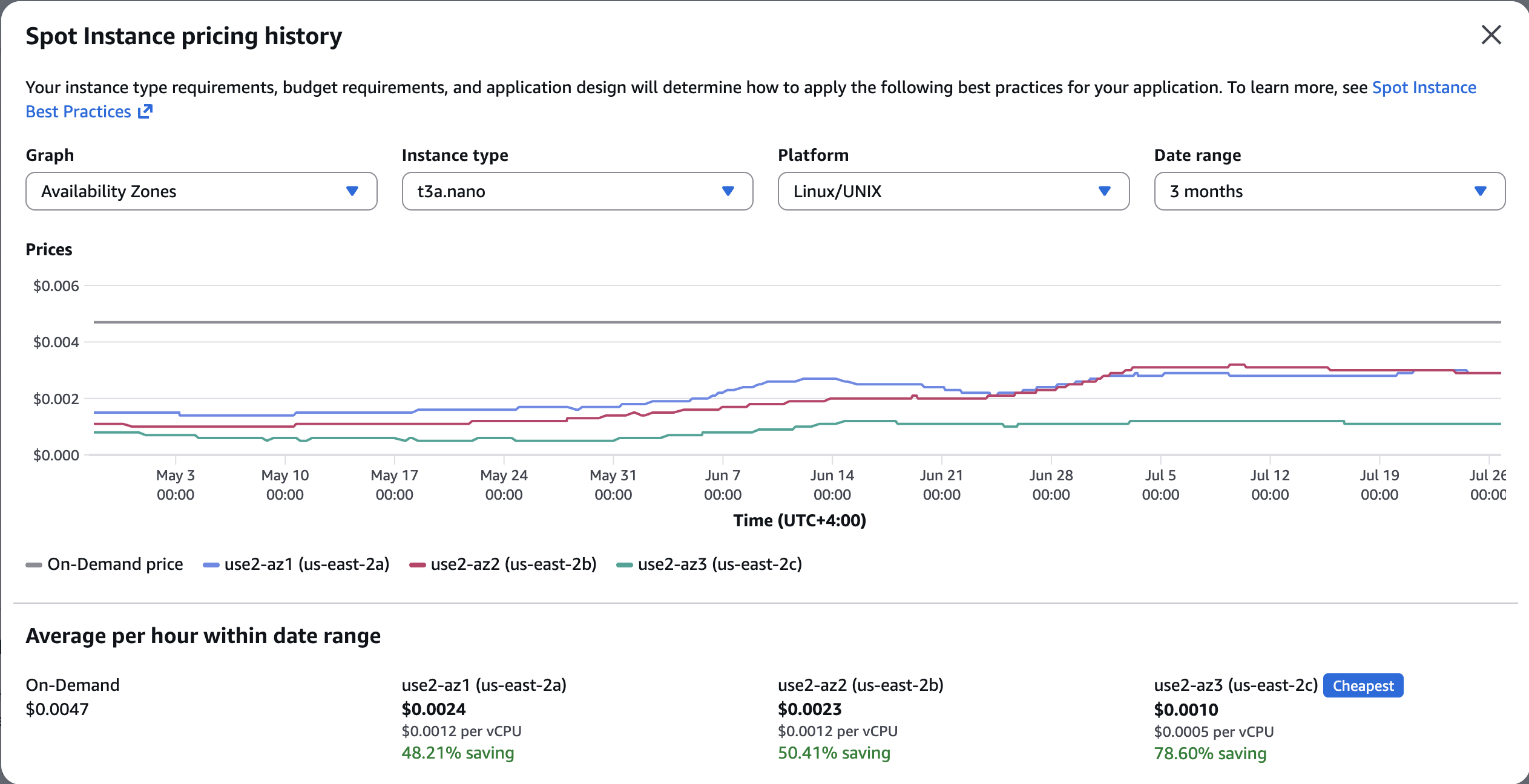
On-demand pricing also isn’t a reliable predictor of Spot pricing. Even though t3a.nano is cheaper than t3.nano on-demand, Spot pricing can be the opposite. At the time of writing, t3.nano Spot is actually cheaper than t3a.nano in the us-east-2 region.
The Spot Instance Advisor doesn’t seem right
AWS’s Spot Instance Advisor reports two useful metrics: estimated savings and interruption frequency.
In our experience, the reported savings closely match reality (averaged over the last 30 days across Availability Zones). The interruption frequency, shown as “<5%”, has not matched what we’ve observed in production during some periods of time (see next section).

Capacity can disappear overnight
Even when interruption rates look healthy, capacity for a particular Spot instance type can disappear with little warning. New launches suddenly start failing with InsufficientCapacity, and existing instances are terminated at a higher rate.

What we do
If Spot is a significant part of your infrastructure, plan for failures both when launching instances and while they’re running.
- Use every Availability Zone in the region. If one AZ is out of capacity, try another.
- On InsufficientCapacity, fall back in this order:
- a sibling instance family (for example, t3a → t3)
- a larger Spot instance
- on-demand instance
- Monitor InsufficientCapacity launch failures.
- Monitor instance-terminated-no-capacity events for running instances.
- Handle the Spot interruption notice. AWS gives Spot instances a two-minute warning before termination, which is enough time to shut down cleanly or save state.
Final thoughts
Spot Instances can dramatically reduce EC2 costs, but production workloads need to assume that capacity is temporary. The biggest operational challenge isn’t interrupted instances, it’s that the capacity you planned to launch may suddenly no longer exist.
Design your infrastructure to tolerate both, and Spot becomes a reliable way to lower costs rather than a source of surprises.